

All of Apple Health, in one zip.

Every workout as a FIT file, ready for another training platform. Every other kind of data Health holds as plain spreadsheets. HET makes the zip on your iPhone, and it goes only where you send it.

Coming to the App Store

Newest 100 workouts and 100 days free.
Pay once after that. Not a subscription.

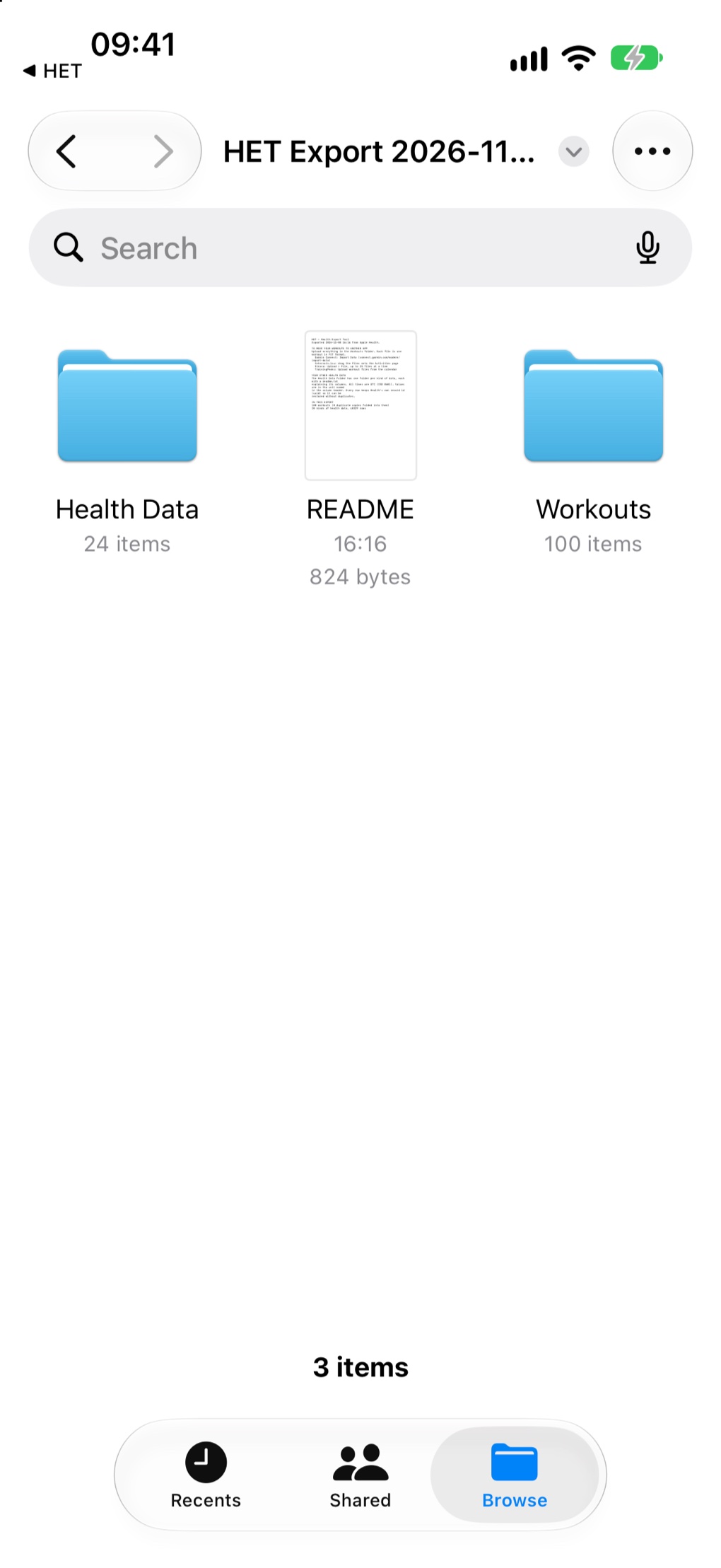
The Files app showing an unzipped HET export: the Health Data folder, the README and the Workouts folder.
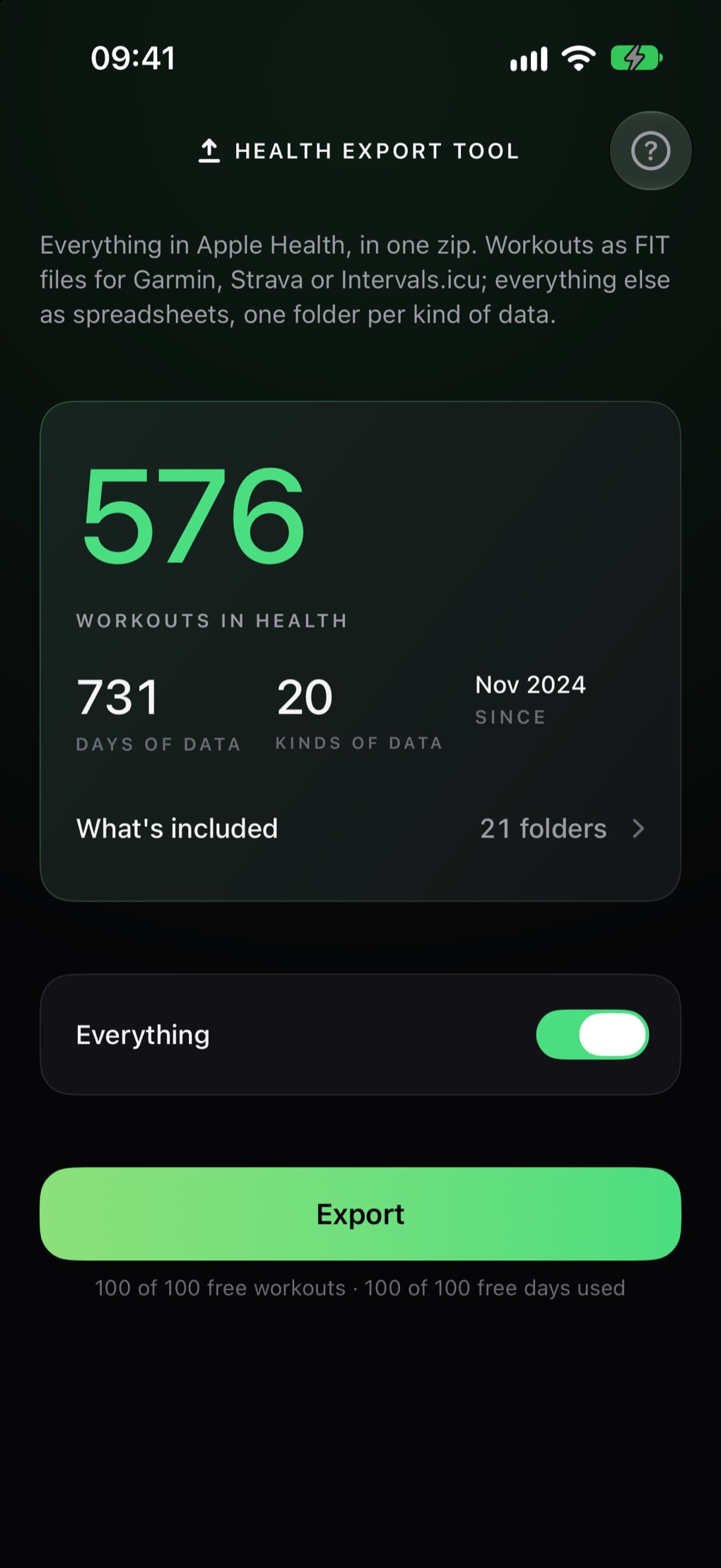
Health Export Tool's first screen in dark mode, counting the workouts, days of data and kinds of data Health holds, with the Export button.

Workouts as FIT files, which these import

  • Intervals.icu
  • TrainingPeaks
  • and anything else that reads FIT

One zip. Three things in it.

Unzip it on a Mac, a PC or in the Files app and it reads like any other folder. Nothing in it needs HET to open.

README.txt
What is in this export, and where to take the workouts next.
Workouts/
One FIT file per workout, with its route and heart rate. FIT is the format Garmin Connect, Strava, Intervals.icu and TrainingPeaks import.
Health Data/
One folder for each kind of data, as plain CSV files that open in any spreadsheet. Busy kinds such as heart rate are split by month. A readme.txt in every folder explains every column, and manifest.json lists the lot.
HET Export 2026-11-08.zip
  • README.txt
  • Workouts
    • 2026-10-09_0712_running.fit
    • 2026-10-11_0830_cycling.fit
    • 2026-10-12_1815_swimming.fit
    • one per workout
  • Health Data
    • manifest.json
    • Heart Rate
      • heart_rate_2026-09.csv
      • heart_rate_2026-10.csv
      • readme.txt
    • Heart Rate Variability
    • Resting Heart Rate
    • Sleep
    • Steps
    • Weight
    • Blood Pressure
    • VO2 Max
    • Respiratory Rate
    • Oxygen Saturation
    • Hydration Log
    • Workout Routes
    • Workouts Summary
    • and a folder for every other kind of data you have

From Apple Health to anywhere, in four steps.

The only choice that matters comes first: when iOS asks how much history to share, choose All Recorded Data.

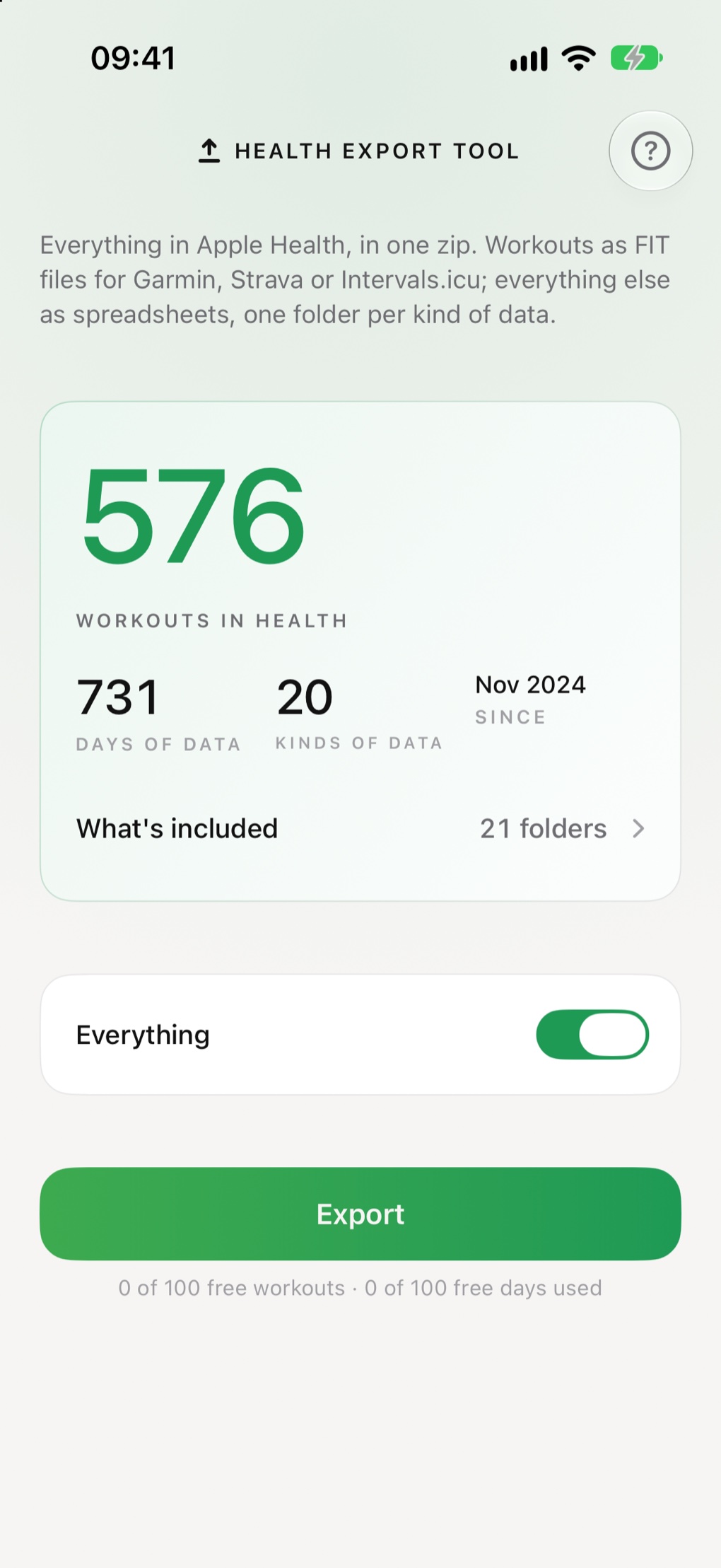
  1. Health Export Tool's first screen with the counts of workouts, days and kinds of data, and the Export button.
    1

    Let HET read Health

    Allow access, and pick All Recorded Data when asked. HET counts what Health holds and shows you before anything is exported.

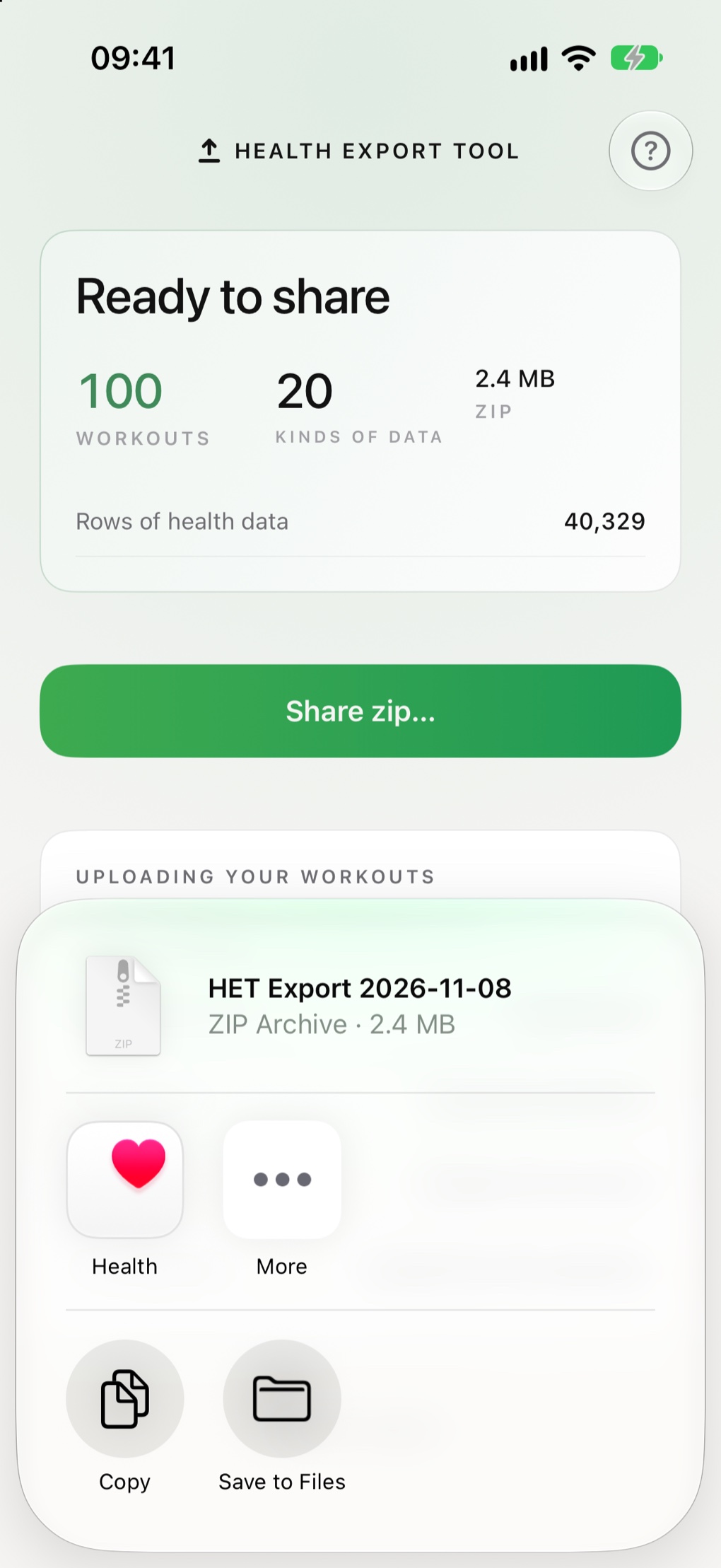
  2. The iOS share sheet offering the finished HET Export zip, with Save to Files among the options.
    2

    Export, then share the zip

    Press Export and keep HET open while it works. When it is done, save the zip to Files, AirDrop it to your Mac, or send it wherever you keep things.

  3. The Files app showing the unzipped export: the Health Data folder, the README and the Workouts folder.
    3

    Unzip it

    A README, a folder of workouts and a folder of everything else. Open any of it in Files, Numbers or Excel.

  4. 4

    Upload the workouts, or keep it all

    Upload the files in Workouts to the platform you are moving to. Or put the whole zip somewhere safe, as a complete copy of your Health history.

What happens inside HET.

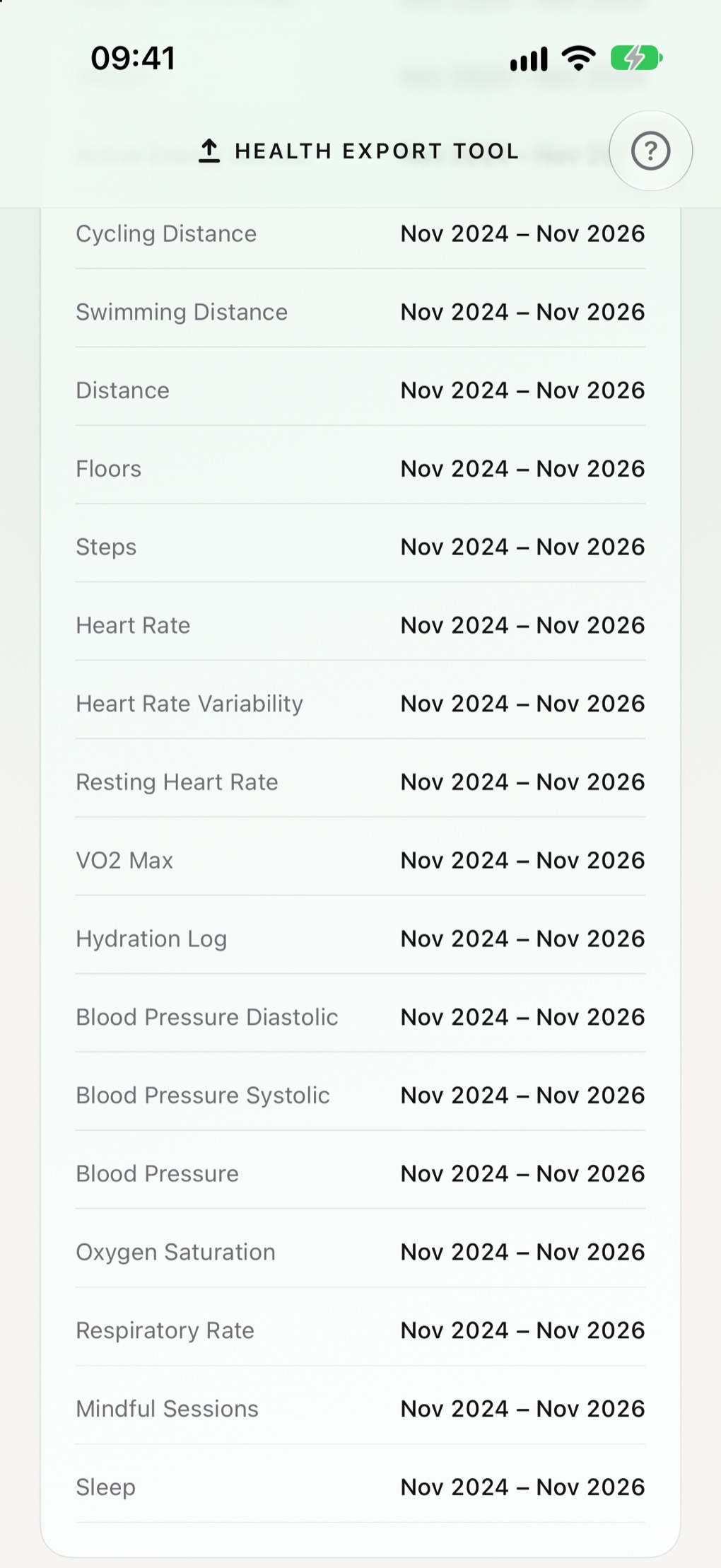
The What's included list on HET's first screen, expanded to show each kind of Health data it found and the dates each one covers.

It lists what it found, by name

Open What's included and every kind of data HET can read from your Health is there: heart rate, sleep, weight, blood pressure, steps and the rest. It covers all 206 kinds iOS 27 offers apps, except clinical health records.

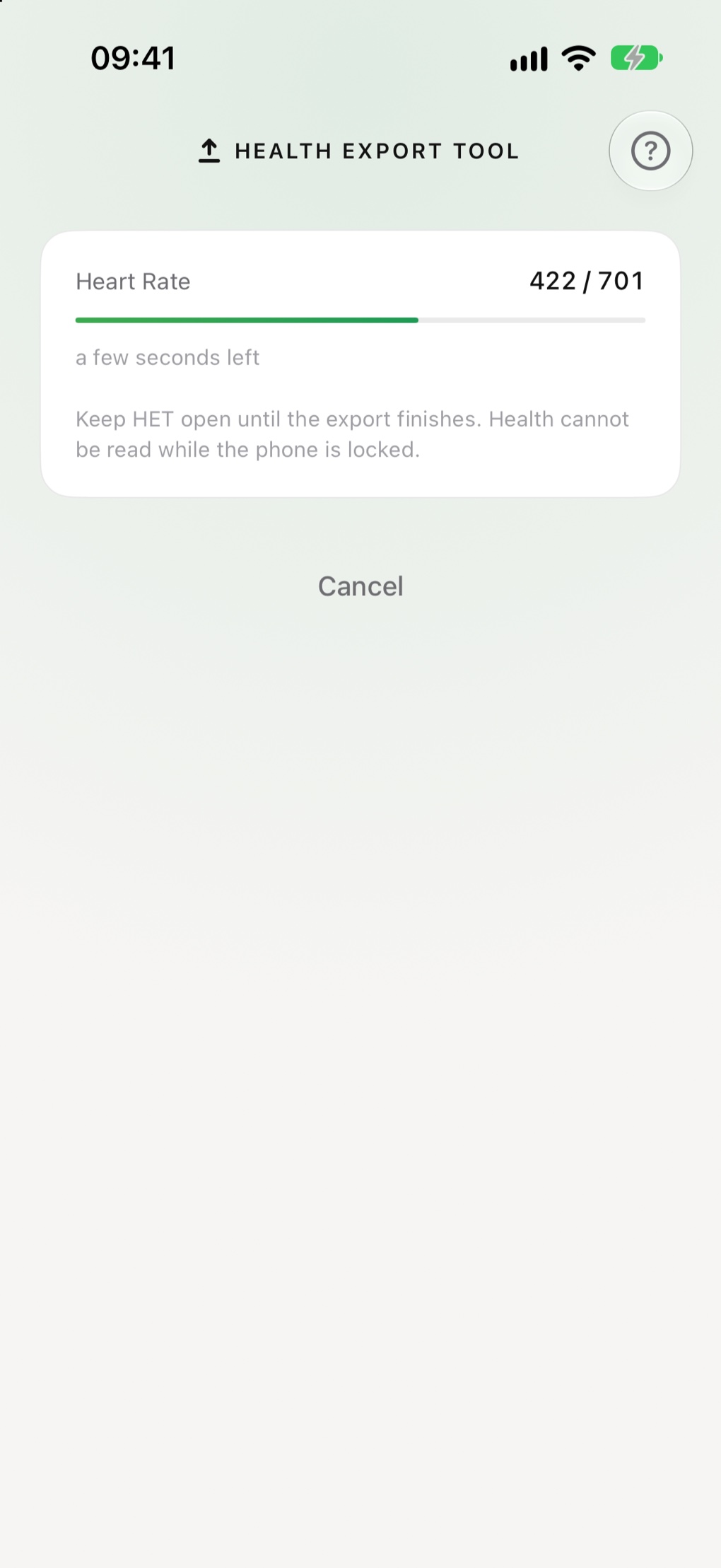
An export in progress in Health Export Tool: a progress bar for the kind of data being written, the time left, and a reminder to keep the app open.

It builds the zip on your phone

Workouts first, then every other kind of data, month by month. Nothing is uploaded anywhere while it runs. Keep HET open until it finishes: Health cannot be read while the phone is locked.

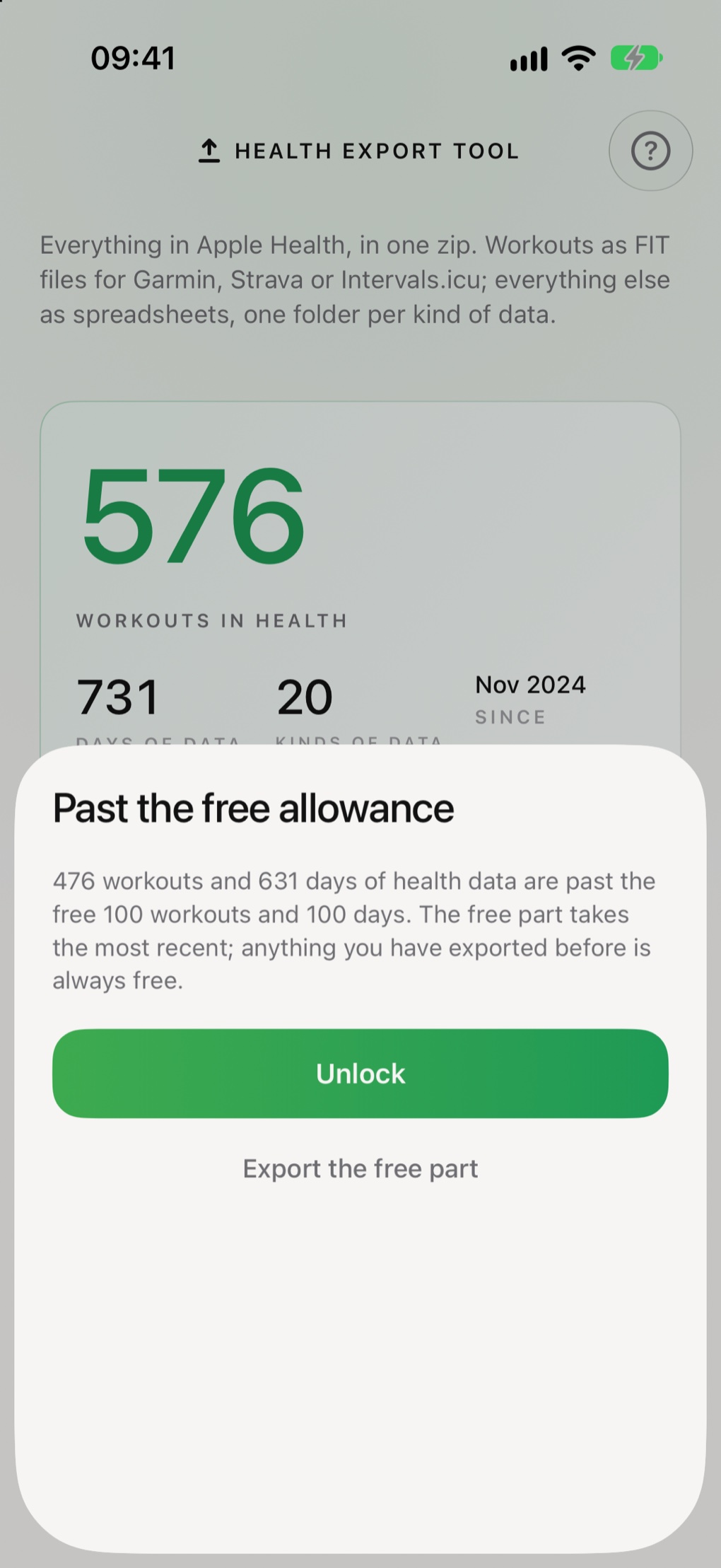
The free allowance sheet in Health Export Tool, saying what is past the free 100 workouts and 100 days, with buttons to unlock or export the free part.

It tells you before the free part runs out

If an export reaches past the free 100 workouts and 100 days, HET says how much is past it before it starts. Export the free part, newest first, or unlock the rest. Never a surprise at the end.

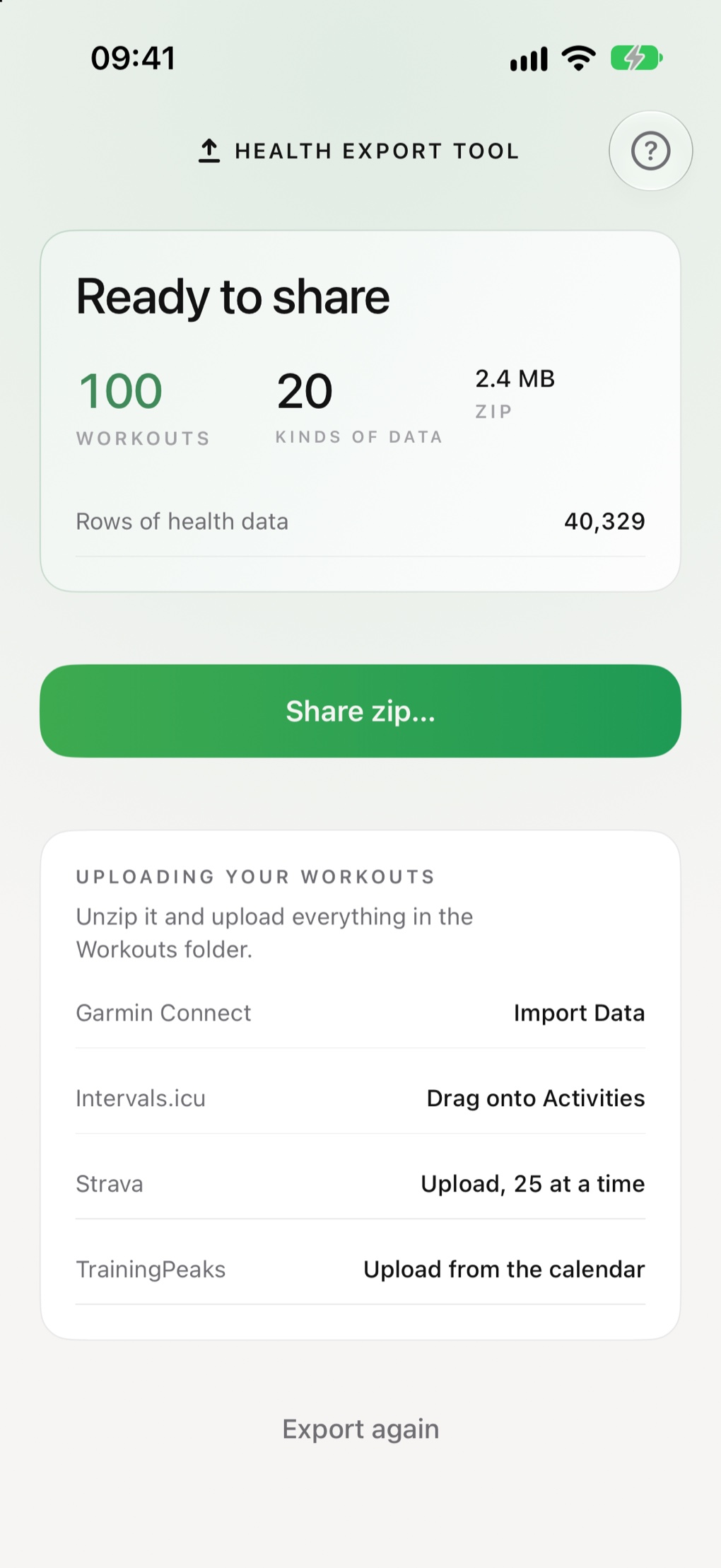
A finished export in Health Export Tool, ready to share, with directions for uploading the Workouts folder to Garmin Connect, Intervals.icu, Strava and TrainingPeaks.

Then it hands you the zip

Share it to Files, AirDrop or anywhere the share sheet reaches. If something could not be read, the finished screen lists it rather than leaving it out quietly.

Two reasons to take it all with you.

One export serves both. The workouts are ready to upload, and nothing about the rest has been thrown away.

Moving platforms

Take your workouts to another training app

Every workout Health holds, whichever watch or app recorded it, each one a FIT file with its route and heart rate. Batch-upload the Workouts folder and your history arrives on the new platform.

Connect Strava Intervals.icu TrainingPeaks

How to upload them ›

Changing Apple ID

Keep a complete copy before you switch

Every row keeps Health's own record ID, the app and device that recorded it, and everything else Health stored with it. Times are in UTC, units are named in every column. The export keeps everything needed to restore it.

  • Every kind of data your Health holds, not just workouts.
  • Plain files you can open without HET, today or years from now.

What it will not do, and why.

Some are Apple's rules and some are choices made on purpose. Worth knowing before you start.

Nothing leaves your iPhone until you share it.

There is no account to make and no server to send anything to. HET reads Health, writes the zip on your phone, and hands it to you. The only thing it ever asks the network is Apple's App Store, about the one-off unlock.

0
accounts to create
0
analytics or trackers
0
changes made to your Health data

Read the privacy policy ›

100 free. Then pay once.

Your newest 100 workouts and 100 days of health data are free: enough to try it on your own data and check the result before deciding. After that, Unlimited exports is a single purchase, US$4.99, or what the App Store shows in your currency.

  • The free allowance never resets. It is kept in your iPhone's Keychain, so deleting and reinstalling HET does not change it.
  • Exporting something you have exported before never counts twice.
  • One payment, on your Apple Account. It does not renew and there is nothing to cancel.

Coming to the App Store

Before you start

Does HET change anything in Health?

No. It only reads. It never asks for permission to write, so nothing in Health can be changed, added or deleted by it.

Why does my export only go back 30 days?

When HET first asked to read Health, iOS offered Past 30 Days or All Recorded Data, and Past 30 Days was chosen. Change it in Settings › Health › Data Access & Devices › HET, then export again. The support page has the details.

What exactly is in the export?

Everything Apple Health lets an app read: all 206 kinds of data iOS 27 offers, except clinical health records. Workouts go in Workouts as FIT files, with routes and heart rate. Everything else goes in Health Data, one folder per kind, as CSV files with a readme explaining every column.

Where can I upload the workouts?

Anywhere that imports FIT files, which includes Garmin Connect, Strava, Intervals.icu and TrainingPeaks. Each has its own upload page; the support page says where to find them.

Is it a backup I could restore from?

It keeps everything needed to restore it. Every row carries Health's own record ID, the app and device that recorded it, and the rest of what Health stored with it, in plain files you can read without HET.

Where does the zip go?

Only where you send it. HET writes it into its own temporary storage on your phone, then hands it to the share sheet. HET deletes its copy the next time you export or open the app, and iOS may clear it sooner.

Can I open the health data without HET?

Yes. They are plain CSV files, which Numbers, Excel and Google Sheets all open. All times are in UTC, and each column header names its unit.

Can I get my money back?

Purchases go through Apple, so refunds do too. Apple's process is at reportaproblem.apple.com. The free allowance exists so you can see the export of your own data first.